




Fastlearn10x

Build My First App with Google Opal AI (No-Code) Anyone can build simple applications with AI (no coding required).

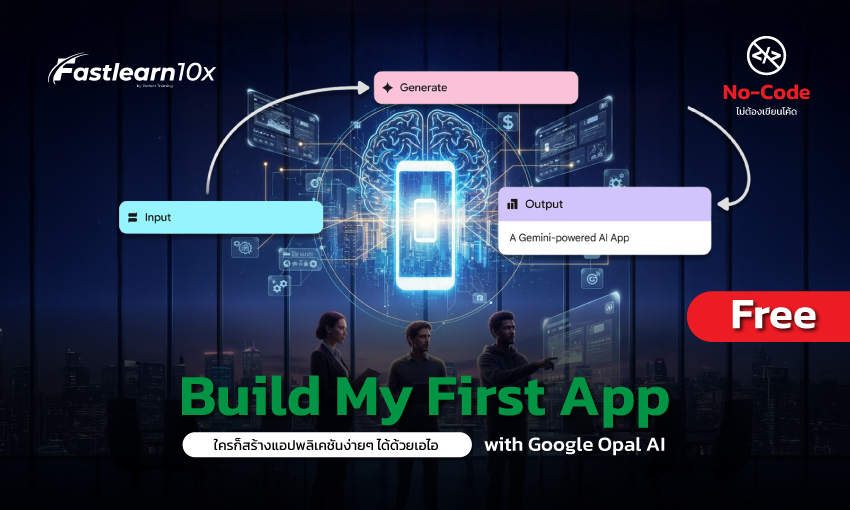
Unlock the power of AI in 40 minutes! Learn how to use Google Opal AI to command AI to build apps for your team without coding, instantly solving redundant tasks in your organization.
blank
Instructor
Fastlearn10x
42 Students enrolled
0
0 reviews
Video preview
  • Description
  • Curriculum
  • FAQ
  • Reviews

In an era driven by data and Artificial Intelligence (AI), organizations demand speed and adaptability, but are often stuck in the "bottlenecks" of traditional software development. This course will unlock the potential of your organization's employees through the latest No-Code AI tools. Google Opal AI This platform is designed to empower everyday workers to quickly create smart applications for internal use within their organizations. Forget the complexities of coding! This micro-learning course is short, fast-paced, and practical, delivering results in just 40 minutes. We'll transform your mindset from a "user" to a "creator," enabling you to build simple internal apps or automation systems to reduce team workloads and boost organizational productivity with the power of... Google Opal AI 

 

fastlearn10x baner

What is Google Opal AI?
Google Opal AI is Google's latest no-code AI platform that lets everyday users build intelligent applications for their organizations, using "prompts" instead of writing code.
Do I need to have prior coding experience?
Not even a single line is required! This is the promise of the "No-Code" course. We will use "Drag-and-Drop" and "Type Commands" in layman's terms only.
How long does it take to build your first app?
You can successfully build your first app within lesson 4 of this course (approximately 40 minutes).
What can apps built with Google Opal AI be used for (give a simple example)?
- An app to report problems in the office (e.g., broken lights, air conditioning not cooling)

- App for voting on ideas or voting on lunch menus

- Simple Task Tracker

- Customer feedback recording app

- A simple chatbot for answering frequently asked questions in your department (e.g., about benefits)
Why do I (as an HR/Marketing/Ops person) have to build my own app? Isn't this an IT job?
That's a great question! IT is often busy maintaining large systems across the company, but you are the expert who knows your "problems" best (e.g., complicated approval forms, Excel with messed up data). This course will empower you to create "little tools" to solve "your" problems instantly, without having to wait in line for IT. It's about making your job easier and faster.
"Is the "app" created from this course a real "app"? Can it be used on a mobile phone?
Yes! It's a working web application. 100% Once you've created it in Chapter 4, you can hit "Publish" and get a link to share with your team. They can open it on their computers or on their mobile devices (via their browsers). It's not just a mockup, it's a real working tool.
Is this 100% course really free? And can you really create anything in just 40 minutes?
Yes! This free 100% course on Fastlearn10x is designed to support digital skills in the workforce, and the 40-minute format (divided into 4 short lessons) is where it all starts. We don't waste time on theoretical back-doors. We focus on one skill: successfully building your first app. The goal isn't to make you an expert in 40 minutes, but to "prove" that you can do it and unlock your fears.
Free course!! Sign up now and upgrade your skills!! Certificate included
Share
Free course!! Sign up and go upgrade your skills!!
Course details
Duration 14 minutes
Lectures 5
Video 4 lessons
Level basic
There is a certificate upon completion of the course.
Unlimited re-learning for life.
Access your classes from any device, including smartphones, tablets, computers, and smart TVs.
Basic info
  • Understand the working principles and capabilities of Google Opal AI

  • Familiarize yourself with the menus and tools required to build an app.

  • Know how to write clear "commands" or "prompts" to tell AI to build apps as we want.

  • Successfully created 1 simple application (e.g., problem reporting app, task tracking app).

  • Share your created app with your team for real-world testing.

Intended audience
  • People working in every department of the organization (HR, Marketing, Operations, Sales) who want to create tools to help their teams

  • Manager / Team Leader To increase productivity and reduce redundant work

  • People who have no coding background But I want to create an application.

  • Organizations using Google Workspace and want to further develop the use of AI

We use cookies to improve the performance and provide a better user experience on our website. You can find more details here. Privacy Policy And you can manage your privacy yourself by clicking on... Set up

Privacy Preferences

You can choose your cookie settings by enabling or disabling each type of cookie as needed, except for essential cookies.

Allow All
Manage Consent Preferences
  • Always Active

Save